
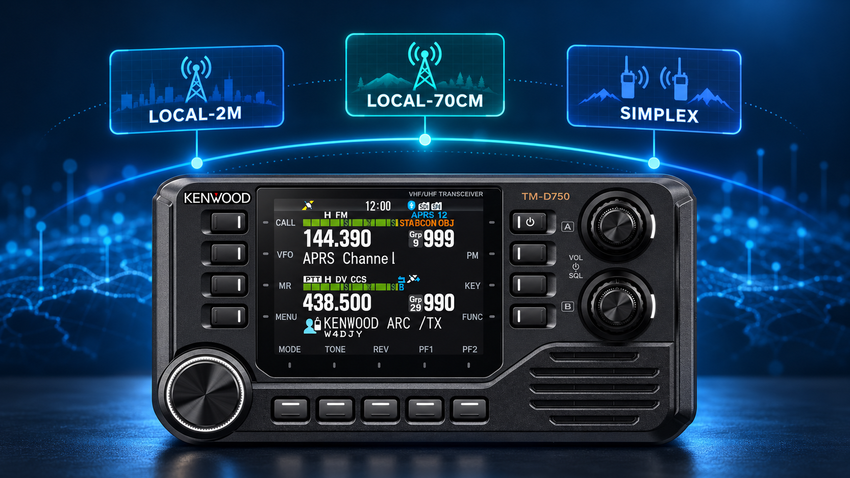
The Kenwood TM-D750 has a surprisingly sophisticated memory and scanning system that goes well beyond simply storing frequencies and scanning through them. With 1,000 memory channels, 30 configurable memory groups, linked group scanning, individual channel lockouts, and several different scan modes, the radio provides considerable flexibility in how you organize and monitor activity. Some of these capabilities are easy to overlook, but understanding how they work together can make the D750 much more convenient to operate.
One of the challenges with a radio this capable is deciding how to organize everything. Between local repeaters, simplex frequencies, D-STAR channels, packet frequencies, travel memories, and other specialized uses, it’s not difficult to accumulate hundreds of stored channels. Without some kind of organization, finding the frequencies you want or scanning a particular collection of channels can become unnecessarily cumbersome.
Fortunately, Kenwood provides a way to organize memories around how you actually use the radio, rather than forcing you to work with one enormous list of frequencies. The real advantage becomes apparent when you combine memory groups with the radio’s scanning features. You can monitor a particular group, combine several groups into a broader scan, or temporarily exclude individual channels without deleting or reorganizing anything.
Three Scanning Functions Worth Knowing
Before getting into the details of memory organization, there are three scanning functions worth learning because they provide the foundation for almost everything else we’ll discuss.
To start a normal Memory Scan across eligible stored channels, press and hold MR. If you want to scan only one memory group, enter Memory Channel mode, select any memory belonging to that group, and press and hold the ENC knob (Kenwood’s term for the rotary tuning control in the lower left). To scan several groups together, the radio provides Memory Group Link under Menu 203, which allows multiple groups to participate in the same scan.
The distinction between holding MR and holding ENC is particularly useful. Both initiate scanning, but they operate on different collections of memories. Once you’re familiar with these controls, moving between a broad scan and a more focused scan becomes much easier.
Organizing Memories Around How You Operate
The TM-D750 provides 30 memory groups, numbered GRP-0 through GRP-29. These groups allow you to organize stored channels into logical collections, such as local 2-meter repeaters, local UHF repeaters, simplex frequencies, D-STAR channels, packet frequencies, and travel memories. Each group can also have a descriptive name of up to 16 half-width characters, making it much easier to recognize than a generic group number.
When a memory is first created, the radio automatically assigns it to a group according to the hundreds digit of its channel number. For example, memory 100 initially belongs to Group 1, while memory 200 belongs to Group 2. However, these assignments are not permanent. Ordinary memory channels can be reassigned to other groups, allowing you to organize frequencies by purpose regardless of their memory numbers.
This distinction is important because it separates memory storage from memory organization. You don’t have to reserve particular blocks of channel numbers for different activities, and you don’t have to renumber channels simply because your operating interests change.
For example, you might create groups named LOCAL-2M, LOCAL-UHF, SIMPLEX, DSTAR, PACKET, and TRAVEL. Once those groups are configured, you can select the collection appropriate to your current activity without having to navigate through hundreds of unrelated memories.
Scanning Individual Groups and Combining Them
Suppose you’re operating around home and want to monitor only your local 2-meter repeaters. Rather than scanning every eligible memory in the radio, you can select any channel belonging to your LOCAL-2M group and press and hold the ENC knob. The radio begins scanning that group, and pressing ENC again stops the scan. You can also change the scanning direction by turning ENC clockwise or counterclockwise.
That’s useful by itself, but the system becomes considerably more flexible when you use Memory Group Link. This feature, configured through Menu 203, allows multiple memory groups to be linked for scanning. You might have separate groups for local 2-meter repeaters, local 70-centimeter repeaters, and simplex frequencies, but still want to monitor all three during normal operation.
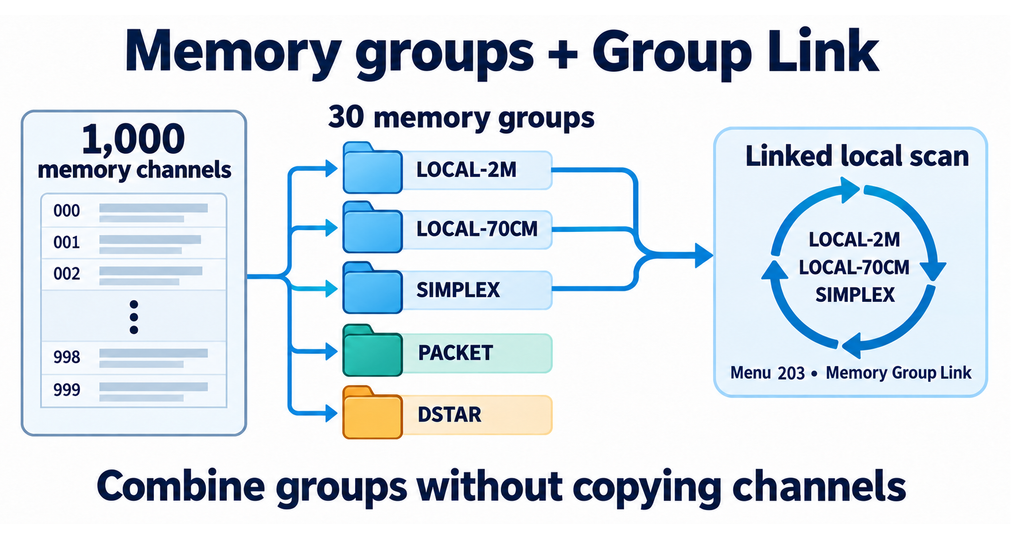
By linking those groups, you can scan the combined collection without duplicating channels or changing their group assignments. The individual groups remain available whenever you want a more focused scan, and Kenwood allows up to 30 groups to be linked.
What makes this approach appealing is that your memory organization can remain relatively stable while your scanning preferences change. You can maintain separate collections based on the type of activity, then use the scanning features to monitor the frequencies relevant to what you’re doing at the moment.
Full link to this article: https://w6hs.net/getting-the-most-from-kenwood-tm-d750s-memory-and-scanning-system/
Shortcut link: https://w6hs.net/r/d750scan